Borders
ReoGrid Web lets you apply borders to any range of cells. You can control the line style, color, width, and which sides receive the border.
Live Demo
RangeHandle API
Use range().border() to set borders on a range.
const ws = grid.worksheet;

// Omitting sides defaults to ['all'] — outer frame + all inner lines
ws.range('A1:D5').border({ style: 'solid', color: '#000000' });

// Specific sides only
ws.range('A1:D1').border(
  { style: 'solid', color: '#1e40af', width: 2 },
  ['bottom']
);

// Multiple sides
ws.range('A1:D5').border(
  { style: 'solid', color: '#d1d5db' },
  ['top', 'bottom', 'left', 'right']
);
BorderLineOptions
| Property | Type | Description |
|---|---|---|
style | 'solid' | 'dashed' | 'dotted' | Line style |
color | string | Line color (CSS color) |
width | number | Line thickness in pixels |
Border sides
When sides is omitted, it defaults to ['all'] — the outer frame plus all inner lines (a full grid). To draw only the outer frame, pass ['outside'].
| Value | Description |
|---|---|
'top' | Top edge of the range |
'bottom' | Bottom edge of the range |
'left' | Left edge of the range |
'right' | Right edge of the range |
'outside' | All four outer edges (shorthand for top + bottom + left + right) |
'insideV' | Vertical lines between interior columns |
'insideH' | Horizontal lines between interior rows |
'inside' | All interior lines (shorthand for insideV + insideH) |
Combine multiple values to apply different styles in a single call:
// Full grid: outer border + all inner lines
ws.range('A1:D5').border({ style: 'solid', color: '#000000' }, ['outside', 'inside']);

// Vertical separators only (no horizontal)
ws.range('A1:D5').border({ style: 'dashed', color: '#d1d5db' }, ['insideV']);

// Horizontal row separators only
ws.range('A1:D5').border({ style: 'solid', color: '#e5e7eb' }, ['insideH']);
Low-level API
setRangeBorder
Sets borders on a range using row/column indices.
ws.setRangeBorder(
  0, 0, 4, 3,  // topRow, leftColumn, bottomRow, rightColumn
  { style: 'solid', color: '#000000' },
  ['top', 'bottom']  // omitting defaults to ['all'] (outer + inner)
);
applyCellBorders
Sets borders on individual cells in bulk using a Map. Keys are 'row:column' strings, and each border line requires width. Note that this call replaces all existing borders.
const borders = new Map();
borders.set('0:0', {
  top: { style: 'solid', color: '#000000', width: 1 },
  bottom: { style: 'solid', color: '#000000', width: 1 },
});
ws.applyCellBorders(borders);
getCellBorder
const border = ws.getCellBorder(0, 0);
// { top?: BorderLine, bottom?: BorderLine, left?: BorderLine, right?: BorderLine }
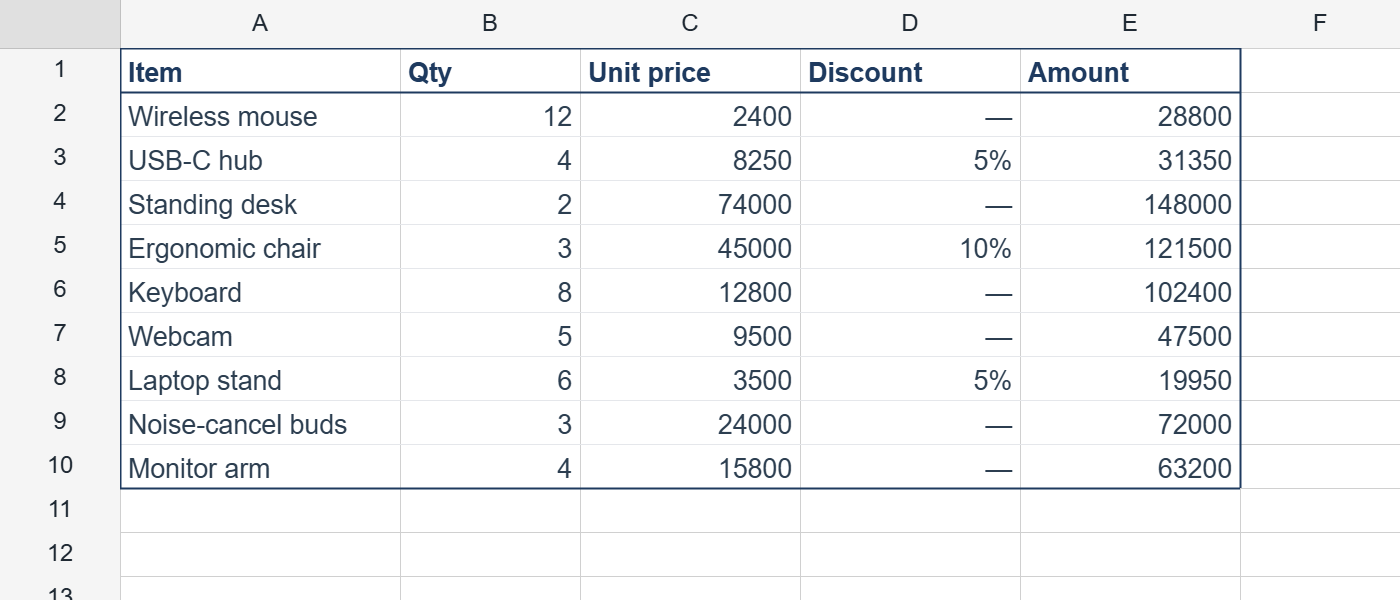
Typical pattern — table with header
const ws = grid.worksheet;

// Header underline (thick)
ws.range('A1:E1').border(
  { style: 'solid', color: '#1e3a5f', width: 2 },
  ['bottom']
);

// Separator lines for data rows
for (let r = 2; r <= 10; r++) {
  ws.range(`A${r}:E${r}`).border(
    { style: 'solid', color: '#e5e7eb' },
    ['bottom']
  );
}

// Outer frame
ws.range('A1:E10').border(
  { style: 'solid', color: '#1e3a5f', width: 2 },
  ['outside']
);
Result